How the Internet Works: A Simple Guide
INTRODUCTION
How the Internet Works: A Simple Guide
Right now, as you read this article, something remarkable is happening beneath the surface. Data is traveling thousands of miles in fractions of a second, passing through undersea cables, jumping between satellites, bouncing off routers, and arriving perfectly intact on your screen.
We use the internet dozens — sometimes hundreds — of times a day. We check messages, stream music, video call friends, shop online, and read the news without giving a second thought to how any of it actually works.
But understanding the internet is not just for engineers and computer scientists. It is for everyone. When you understand how it works, you become a smarter, safer, and more confident user of the most powerful communication tool in human history.
So let us start from the very beginning.
WHAT IS THE INTERNET?
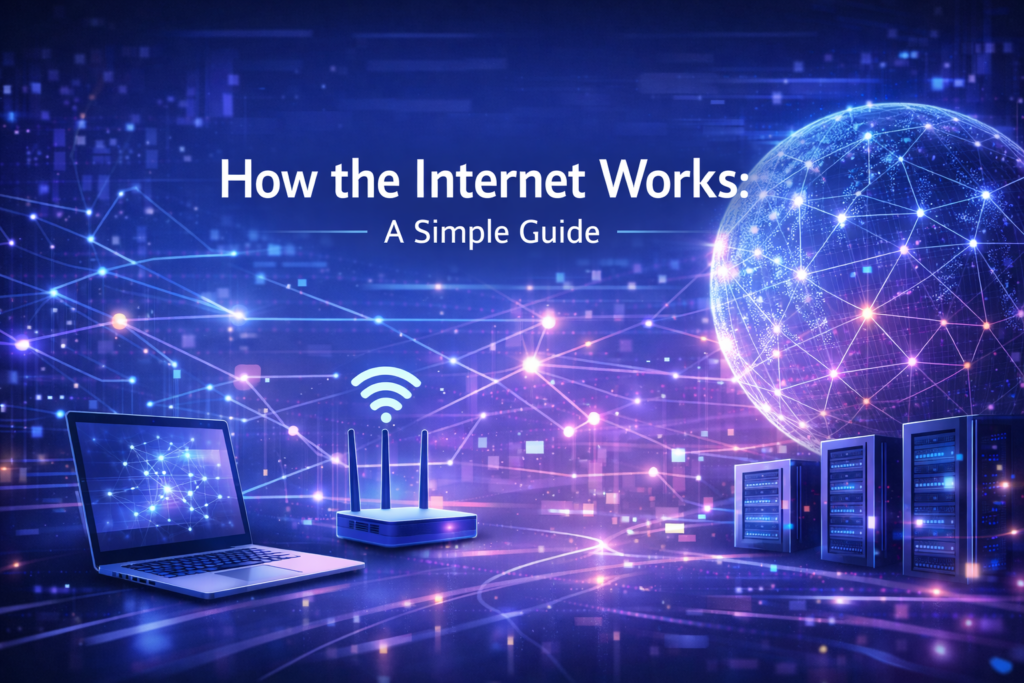
The internet is a global network of billions of connected devices — computers, phones, servers, tablets, smart TVs, and more — all communicating with each other using a shared set of rules called protocols.
It is important to understand what the internet is not. The internet is not owned by any single company, government, or organization. It is not stored in one place. It is not a cloud floating somewhere in the sky.
The internet is physical. It is made up of millions of kilometres of fiber optic cables — many of them running along the ocean floor — connecting continents together. It includes copper telephone wires, wireless radio signals, and satellites orbiting the Earth. All of these physical connections form the backbone of the global internet.
Think of it like the world’s road network. Roads connect cities and countries, allowing goods and people to move between them. The internet is a road network for information — allowing data to travel between devices anywhere on the planet.
SERVERS AND CLIENTS — THE TWO SIDES OF EVERY CONNECTION
Every time you use the internet, you are participating in a relationship between two types of devices: clients and servers.
A client is the device you use — your phone, laptop, or tablet. It requests information.
A server is a powerful computer that stores and delivers information. When you type a website address into your browser, your device (the client) sends a request to a server somewhere in the world that holds that website’s files. The server receives the request, finds the relevant files, and sends them back to you.
Real-world example: Think of a restaurant. You are the client — you sit at a table and place an order. The kitchen is the server — it receives your order, prepares your food, and sends it out to your table. The waiter is the internet — carrying requests and responses back and forth.
Servers are often housed in large facilities called data centers — enormous buildings filled with thousands of computers running continuously, kept cool by industrial air conditioning, and powered by dedicated electricity supplies. When you visit Google, watch Netflix, or check your bank account, you are communicating with servers inside one of these data centers.
IP ADDRESSES — THE POSTAL ADDRESSES OF THE INTERNET
Every device connected to the internet has a unique identifier called an IP address (Internet Protocol address). Think of it as a postal address — without it, the internet would have no idea where to send information or where it came from.
An IP address looks something like this: 192.168.1.1
This is called an IPv4 address — four groups of numbers separated by dots. Because the internet has grown so enormous, IPv4 is running out of unique combinations. This is why a newer format called IPv6 was introduced, which looks like this: 2001:0db8:85a3:0000:0000:8a2e:0370:7334. IPv6 provides a practically unlimited number of unique addresses.
Your device has two types of IP addresses:
Private IP Address: Used within your home or office network. Your router assigns these to your devices (your phone, laptop, smart TV) so they can communicate with each other locally.
Public IP Address: Assigned to your home network by your Internet Service Provider (ISP). This is the address the outside internet sees when your devices make requests online.
Real-world example: Your public IP address is like your home’s street address. Your private IP addresses are like apartment numbers inside that building — they identify individual devices within your home network.
DNS — THE INTERNET’S PHONE BOOK
Computers communicate using IP addresses — strings of numbers. But humans are not good at remembering numbers. Nobody wants to type “142.250.190.46” every time they want to visit Google.
This is exactly the problem that DNS solves.
DNS stands for Domain Name System. It is essentially the internet’s phonebook — a massive, distributed database that translates human-friendly website names (like www.google.com) into the IP addresses that computers actually use.
Here is what happens every time you type a website address:
Step 1 — You type “www.google.com” into your browser and press Enter.
Step 2 — Your device first checks its own memory (called a cache) to see if it already knows the IP address for Google. If it does, it skips ahead. If not, it continues.
Step 3 — Your device sends a query to a DNS resolver — usually operated by your ISP or a service like Google (8.8.8.8) or Cloudflare (1.1.1.1).
Step 4 — The DNS resolver searches its records. If it does not have the answer cached, it asks a series of DNS servers in a hierarchy until it finds the correct IP address for Google.
Step 5 — The IP address is returned to your device.
Step 6 — Your browser connects to that IP address and loads the website.
This entire process — from you pressing Enter to your browser receiving the IP address — typically takes less than 50 milliseconds. It happens invisibly, every single time you visit a website.
Real-world example: DNS is like asking a librarian for a book. You say the title (www.google.com). The librarian checks the catalog and tells you exactly which shelf and row to find it on (the IP address). You go directly to the right location.
HOW DATA TRAVELS — PACKETS, ROUTERS, AND PROTOCOLS
Now you know how devices are identified and how website names are translated. But how does the actual data — a webpage, a video, a message — travel from a server to your screen?
The answer involves three key concepts: packets, routers, and protocols.
Packets
When you request a webpage, the server does not send the entire page as one giant file. It breaks the data into small chunks called packets. Each packet is typically around 1,500 bytes — a tiny piece of the whole.
Each packet contains:
- The data it is carrying (a piece of the webpage, image, or video)
- The destination IP address (where it is going)
- The source IP address (where it came from)
- Sequence information (so the receiving device knows how to reassemble the pieces)
These packets then travel independently across the internet, potentially taking different routes to reach the same destination.
Routers
Routers are the traffic directors of the internet. They are specialized devices that read each packet’s destination address and decide the best path to send it along — just like a GPS system for data.
Your home router connects your devices to your ISP. From there, packets travel through a chain of more powerful routers — at your ISP, at internet exchange points, and across backbone networks — until they reach their destination.
If one route is congested or broken, routers automatically redirect packets along alternative paths. This built-in flexibility is one of the internet’s greatest strengths — it was actually designed this way deliberately, to ensure it could survive disruptions.
Protocols — The Rules of the Road
For all of these devices to communicate reliably, they must follow a shared set of rules. These rules are called protocols.
The most fundamental is TCP/IP — Transmission Control Protocol / Internet Protocol:
IP (Internet Protocol) handles addressing and routing — making sure packets are sent to the right address.
TCP (Transmission Control Protocol) handles reliability — making sure all packets arrive, detecting any that are lost, and requesting them to be resent. It also reassembles packets in the correct order at the destination.
When you visit a secure website (one beginning with HTTPS), an additional protocol called TLS (Transport Layer Security) encrypts your data before it is sent — scrambling it so that even if someone intercepts the packets, they cannot read the contents. This is what protects your passwords, credit card numbers, and personal information online.
FROM YOUR FINGERTIP TO THE SCREEN — THE FULL JOURNEY
Let us put it all together with a single, complete example.
You open your browser and type www.bbc.com. Here is everything that happens:
- DNS Lookup: Your device asks a DNS server to translate “www.bbc.com” into an IP address. It receives back something like 151.101.0.81.
- Connection Request: Your browser sends a connection request (using TCP) to that IP address — the BBC’s server.
- Secure Handshake: Your browser and the BBC’s server perform a TLS handshake, agreeing on encryption keys so all communication is private and secure.
- Data Request: Your browser sends an HTTP request asking for the BBC’s homepage.
- Server Response: The BBC’s server finds the homepage files and breaks them into thousands of packets. Each packet is labeled with your IP address as the destination and sent out onto the network.
- Routing: Each packet travels through a series of routers — possibly dozens of them — finding the fastest available path to reach your device.
- Reassembly: TCP on your device collects all the packets, checks none are missing, and reassembles them in the correct order.
- Rendering: Your browser reads the reassembled files (HTML, CSS, images, scripts) and renders the BBC homepage on your screen.
Total time: typically under one second.
WHY THE INTERNET IS SO RESILIENT
One of the internet’s most remarkable qualities is its resilience. Unlike a traditional phone network — where a broken cable in one location can cut off a whole region — the internet routes around damage automatically.
This is because the internet has no single central point. Data can travel through hundreds of different paths between any two points on the globe. If a cable is cut, a router fails, or a data center goes offline, traffic is automatically redirected through alternative routes within milliseconds.
This decentralized architecture was not accidental. The internet’s early design was partly funded by the United States military, which wanted a communication network that could survive a nuclear attack by having no single point of failure.
CONCLUSION
The internet is not magic — though it can certainly feel that way. It is an extraordinary feat of human engineering: a global system of physical cables, intelligent routers, powerful servers, and carefully designed protocols all working together in perfect coordination, at unimaginable speed, billions of times a day.
When you type a web address, DNS translates the name into a number. Your request travels as packets through a chain of routers. A server halfway around the world receives that request, prepares a response, and sends it back — broken into hundreds of tiny pieces that reassemble flawlessly on your screen.
Servers store and deliver. IP addresses identify. DNS translates. Routers direct. Packets carry. Protocols govern. And all of it happens before you have finished reading this sentence.
Understanding the internet does not make you an engineer. But it does make you a more informed, more capable, and more empowered user of the most transformative technology of our age.