
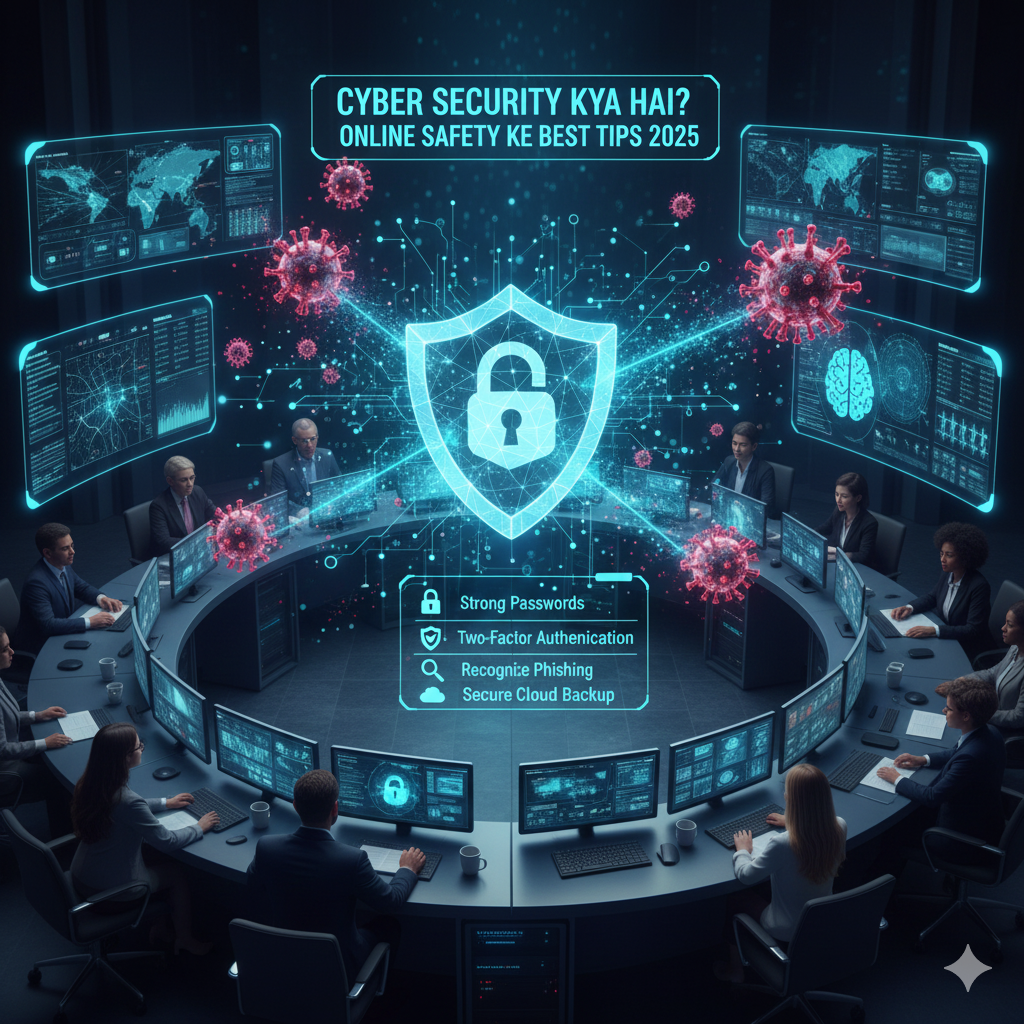
Cyber Security Kya Hai? Online Safety Ke Best Tips 2025
Introduction: The Digital Battlefield of 2025
Cyber Security Kya Hai? Online Safety Ke Best Tips 2025
In today’s hyperconnected world, the internet has become as essential as electricity and water. We shop online, work remotely, bank digitally, socialize through apps, and store our most precious memories in the cloud. But with this convenience comes a darker reality: cybercriminals are getting smarter, faster, and more dangerous than ever before.
In 2025, cybersecurity is no longer just an IT department’s concern—it’s everyone’s responsibility. With more than 30,000 vulnerabilities disclosed last year, representing a 17 percent increase from previous figures, the cyber threat landscape has never been more challenging. Whether you’re a student, professional, business owner, or simply someone who uses social media, understanding cybersecurity and implementing online safety practices is crucial to protecting yourself, your family, and your digital life.
This comprehensive guide will demystify cybersecurity, explain the latest threats facing us in 2025, and provide actionable tips that anyone can implement to stay safe online.
What is Cyber Security? Understanding the Basics
Cyber Security Kya Hai? Online Safety Ke Best Tips 2025
Cybersecurity is the practice of protecting computers, networks, programs, and data from unauthorized access, attacks, damage, or theft. Think of it as a digital fortress protecting your valuable information from criminals who want to steal, exploit, or destroy it.
Just as you lock your doors and windows to keep burglars out of your home, cybersecurity creates layers of protection around your digital assets. These protections include:
- Hardware security: Physical devices and infrastructure
- Software security: Applications and operating systems
- Network security: The connections between devices
- Data security: Protecting information stored and transmitted
- Identity security: Verifying who accesses what resources
Why Does Cybersecurity Matter?
The stakes have never been higher. A single security breach can result in:
- Financial loss: Stolen banking credentials, fraudulent transactions, ransomware payments
- Identity theft: Criminals impersonating you to open accounts, take loans, or commit fraud
- Privacy violations: Personal photos, messages, and information exposed
- Reputational damage: Embarrassing or sensitive information made public
- Emotional distress: Feeling violated, anxious, and unsafe in digital spaces
- Legal consequences: Being held liable for compromised accounts or data breaches
With billions of people online and trillions of dollars flowing through digital channels, cybercrime has become a lucrative industry. Protecting yourself is not paranoia—it’s common sense.
The Cyber Threat Landscape in 2025
Cyber Security Kya Hai? Online Safety Ke Best Tips 2025
To protect yourself effectively, you need to understand what you’re up against. The cyber threats of 2025 are more sophisticated, widespread, and damaging than ever before. Let’s explore the major threats you should be aware of:
1. AI-Powered Cyberattacks
Artificial Intelligence has transformed both sides of the cybersecurity equation. Credential theft continues to be problematic, with a 71% year-over-year increase in attacks using compromised credentials. While security professionals use AI to detect threats, cybercriminals are using it to create more convincing attacks.
AI-driven threats include:
- Deepfake scams: Video and audio impersonations so realistic they can fool even close family members
- Adaptive malware: Viruses that learn and evolve to bypass security measures
- Automated phishing campaigns: Personalized scam messages generated at massive scale
- Voice cloning: Fake phone calls mimicking trusted individuals requesting urgent actions
The danger? These attacks are becoming so sophisticated that traditional security awareness training may not be enough to identify them.
2. Ransomware Evolution
Ransomware continues to be one of the most prevalent and damaging forms of cyber-attacks, with a surge in sophisticated ransomware operations targeting critical infrastructure, healthcare systems, and financial institutions.
Modern ransomware doesn’t just encrypt your files—criminals now employ “double extortion” tactics:
- They encrypt your data so you can’t access it
- They steal sensitive information before encrypting
- They threaten to publish your data online unless you pay
Ransomware attacks target critical suppliers that entire industries rely upon, as seen in the 2024 attacks on CDK Global, disrupting automotive services, and Change Healthcare, which paralyzed healthcare providers nationwide.
3. Phishing and Social Engineering
Despite decades of warnings, phishing remains the #1 way cybercriminals gain access to systems. In 2025, these attacks have become frighteningly sophisticated:
- Spear phishing: Highly personalized emails targeting specific individuals
- Smishing: Phishing via SMS text messages
- Vishing: Voice phishing through phone calls
- Business Email Compromise: Impersonating executives to authorize fraudulent transfers
Cybercriminals can use even innocent bits of information—like your first car, your pet’s name, or where you grew up—to guess passwords and answer security questions.
4. Supply Chain Attacks
Organizations don’t exist in isolation—they depend on networks of vendors, partners, and service providers. Cybercriminals exploit this by attacking the weakest link in the supply chain to gain access to multiple targets simultaneously.
These attacks are particularly dangerous because they can affect thousands of organizations through a single compromised vendor.
5. Internet of Things (IoT) Vulnerabilities
Smart home devices, wearables, connected cars, and industrial sensors have created billions of new potential entry points for attackers. Many IoT devices have weak or nonexistent security features, making them easy targets for hackers to:
- Create botnets for large-scale attacks
- Spy on your home through cameras and microphones
- Steal data transmitted by smart devices
- Use your devices as stepping stones to access more valuable targets
6. Cloud Security Risks
As more data and applications move to the cloud, misconfigurations and inadequate access controls create vulnerabilities. The shared responsibility model means both cloud providers and users must implement proper security measures.
7. Quantum Computing Threats
While still emerging, quantum computers pose a future threat to current encryption standards. Organizations are beginning to prepare for “post-quantum cryptography” to protect data from future quantum-powered attacks.
8. Nation-State Cyber Warfare
Geopolitical tensions could lead to cyber threat actors demonstrating their capabilities against critical infrastructure, potentially exposing vulnerabilities in vital systems like energy grids, water supplies, or transportation networks.
These sophisticated attacks target critical infrastructure, financial systems, and communication networks with political or strategic goals rather than financial gain.
The Human Factor: Why You’re the Biggest Security Risk
Here’s an uncomfortable truth: Almost 95% of cyberattacks succeed because of human error. Hackers don’t just attack computers—they manipulate people.
Common human errors include:
- Clicking suspicious links in emails or texts
- Using weak or repeated passwords
- Sharing sensitive information with strangers
- Downloading unverified software
- Ignoring software updates
- Connecting to unsecured public Wi-Fi
- Falling for “too good to be true” offers
- Oversharing personal information on social media
The good news? Since humans are the problem, education and awareness can be the solution. By following cybersecurity best practices, you can dramatically reduce your risk of becoming a victim.
Essential Cybersecurity Practices for 2025
Now that you understand the threats, let’s explore the practical steps you can take to protect yourself online. These best practices are ranked from most critical to highly recommended:
1. Enable Multi-Factor Authentication (MFA) Everywhere
Priority Level: CRITICAL
Multi-factor authentication is your single most effective defense against account hijacking. It requires at least two forms of verification before granting access:
- Something you know (password)
- Something you have (phone, security key)
- Something you are (fingerprint, face scan)
Even if someone steals your password, they won’t be able to log in without that second step.
How to implement:
- Enable MFA on all important accounts: email, banking, social media, work accounts
- Use authenticator apps (Google Authenticator, Microsoft Authenticator) rather than SMS when possible
- Consider hardware security keys (YubiKey, Google Titan) for maximum protection
- Never share or write down your MFA codes
2. Create and Manage Strong, Unique Passwords
Priority Level: CRITICAL
Weak and repeated passwords are the #1 reason accounts get hacked. In 2025, password hygiene is non-negotiable.
Password best practices:
- Use 12-16 characters minimum
- Include uppercase letters, lowercase letters, numbers, and symbols
- Never use personal information (names, birthdays, addresses)
- Don’t use common words or patterns
- Create a unique password for every account
- Never share passwords with anyone
The password manager solution:
A password manager automatically generates and stores complex, unique passwords for each account you use, locked safely behind one strong main password, passkey, and/or multi-factor authentication.
Recommended password managers:
- 1Password
- Bitwarden
- LastPass
- Dashlane
- NordPass
3. Keep Everything Updated
Priority Level: CRITICAL
Regularly updating your operating system, browser, and applications ensures you have the latest security patches and features. Cybercriminals actively exploit known vulnerabilities in outdated software.
What to update:
- Operating systems (Windows, macOS, iOS, Android, Linux)
- Web browsers (Chrome, Firefox, Safari, Edge)
- Applications and software
- Antivirus and security programs
- Router firmware
- Smart device firmware
Best practice: Enable automatic updates whenever possible so you’re always protected without thinking about it.
4. Recognize and Avoid Phishing Attempts
Priority Level: CRITICAL
Phishing remains the primary method for cybercriminals to steal credentials and information. Learning to spot these attacks is essential.
Red flags in phishing emails/messages:
- Generic greetings (“Dear Customer” instead of your name)
- Sense of urgency or threats (“Your account will be closed!”)
- Requests for personal information or passwords
- Suspicious sender addresses (slight misspellings of legitimate domains)
- Poor grammar and spelling errors
- Unexpected attachments or links
- Too-good-to-be-true offers
How to protect yourself:
- Never click links in unexpected emails
- Hover over links to see the real destination URL
- Type website addresses directly into your browser
- Verify requests through official channels
- Report suspicious emails to your email provider
- Use email filtering and anti-phishing tools
5. Secure Your Home Network
Priority Level: HIGH
Securing your home network—the direct link between you and the internet—helps make these devices less susceptible to cyber-attacks.
Home network security checklist:
- Change default router username and password
- Use WPA3 encryption (or WPA2 if WPA3 unavailable)
- Create a strong, unique Wi-Fi password
- Disable WPS (Wi-Fi Protected Setup)
- Enable router firewall
- Update router firmware regularly
- Create a separate guest network for visitors
- Disable remote management features
- Hide your network name (SSID) if desired
6. Be Cautious on Public Wi-Fi
Priority Level: HIGH
Public Wi-Fi networks at cafes, airports, and hotels are convenient but dangerous. They’re often unsecured and can be monitored by cybercriminals.
Public Wi-Fi safety tips:
- Avoid accessing sensitive accounts (banking, email) on public Wi-Fi
- Use a Virtual Private Network (VPN) to encrypt your connection
- Verify the network name with staff before connecting
- Turn off automatic Wi-Fi connection
- Disable file sharing when on public networks
- Use your mobile hotspot when possible for greater security
- Forget public networks after use
Recommended VPNs:
- NordVPN
- ExpressVPN
- Surfshark
- ProtonVPN
- CyberGhost
7. Use Biometric Authentication When Available
Priority Level: HIGH
Face scans and fingerprints are safer than traditional passwords. Modern biometric security is extremely difficult for attackers to bypass.
Biometric options:
- Face ID or Face Recognition
- Fingerprint scanning (Touch ID)
- Voice recognition
- Iris scanning
Use these features to unlock devices, authorize payments, and access sensitive apps.
8. Practice Smart Social Media Behavior
Priority Level: HIGH
Oversharing on social media provides cybercriminals with ammunition for social engineering attacks and identity theft.
Social media security tips:
- Review and restrict privacy settings
- Don’t share location information in real-time
- Avoid posting about vacations until you return
- Don’t share personal details (phone numbers, addresses, birthdates)
- Be skeptical of friend requests from strangers
- Don’t participate in “fun quizzes” that ask personal questions
- Think before posting: “Could this information be used against me?”
- Enable two-factor authentication on all social accounts
9. Backup Your Data Regularly
Priority Level: HIGH
Regular backups ensure you won’t lose everything in a ransomware attack, hardware failure, or accidental deletion.
Backup strategy (3-2-1 rule):
- Keep 3 copies of important data
- Store backups on 2 different types of media
- Keep 1 backup offsite (cloud storage or different physical location)
Backup solutions:
- Cloud services: Google Drive, Dropbox, iCloud, OneDrive, Backblaze
- External hard drives
- Network-attached storage (NAS)
- Automated backup software
10. Install Comprehensive Security Software
Priority Level: HIGH
Modern security suites provide multiple layers of protection against various threats.
Essential security tools:
- Antivirus/anti-malware software
- Firewall (usually built into operating systems)
- Anti-phishing protection
- Ransomware protection
- VPN service
- Password manager
- Ad blocker (reduces malicious ad exposure)
Recommended security suites:
- Norton 360
- Bitdefender
- Kaspersky
- McAfee
- ESET
- Malwarebytes
11. Control Bluetooth and Location Services
Priority Level: MEDIUM
Bluetooth and location services can expose you to tracking and unauthorized connections.
Best practices:
- Turn off Bluetooth when not in use
- Disable location services for apps that don’t need it
- Deny location permissions for non-essential apps
- Use “while using app” location option instead of “always”
- Forget paired Bluetooth devices you no longer use
12. Secure Your Mobile Devices
Priority Level: MEDIUM
Smartphones and tablets contain vast amounts of personal information and need protection.
Mobile security checklist:
- Set a strong PIN, password, or biometric lock
- Enable remote wipe capability
- Encrypt your device (usually enabled by default on modern devices)
- Only install apps from official stores (Google Play, Apple App Store)
- Review app permissions regularly
- Don’t jailbreak or root your device
- Use mobile security apps
- Enable “Find My Device” features
13. Be Careful What You Download
Priority Level: MEDIUM
Malicious software often disguises itself as legitimate downloads.
Safe downloading practices:
- Only download from official websites and app stores
- Read reviews and check developer reputation
- Verify file authenticity with checksums when available
- Scan downloads with antivirus before opening
- Be wary of software bundlers
- Avoid pirated software (often contains malware)
14. Monitor Your Financial Accounts
Priority Level: MEDIUM
Early detection of fraudulent activity can minimize damage.
Financial monitoring:
- Check bank and credit card statements regularly
- Enable transaction alerts
- Use credit monitoring services
- Review credit reports annually (free at AnnualCreditReport.com)
- Consider identity theft protection services
- Freeze your credit if not actively applying for credit
15. Educate Yourself Continuously
Priority Level: MEDIUM
The cyber threat landscape evolves constantly. Staying informed is crucial for ongoing protection.
Stay educated:
- Follow cybersecurity news and blogs
- Participate in security awareness training
- Subscribe to security newsletters
- Learn about new scams and threats
- Share knowledge with family and friends
- Attend webinars or workshops on cybersecurity
Special Considerations for Different Groups
For Parents: Protecting Children Online
Regular, open conversations about appropriate online behavior and information sharing are critical to helping children learn, socialize, and explore securely online.
Child safety measures:
- Use parental controls on devices and networks
- Monitor online activities without invading privacy completely
- Teach children about stranger danger online
- Establish screen time limits
- Discuss cyberbullying and how to report it
- Review privacy settings on games and apps
- Create family rules about internet use
- Be approachable so children report problems
For Businesses: Beyond Personal Security
Organizations face additional challenges and need comprehensive cybersecurity programs.
Business security essentials:
- Implement Zero Trust security architecture
- Conduct regular security audits and penetration testing
- Provide employee security awareness training
- Develop incident response plans
- Secure supply chains through vendor assessments
- Implement data loss prevention (DLP) tools
- Maintain compliance with regulations (GDPR, HIPAA, etc.)
- Use Security Information and Event Management (SIEM) systems
- Establish cybersecurity governance and policies
For Senior Citizens: Common Scams to Avoid
Older adults are frequently targeted with specific scams.
Common senior-targeted scams:
- Tech support scams (fake Microsoft/Apple calls)
- Grandparent scams (fake emergency calls from “grandchildren”)
- Romance scams on dating sites
- Social Security impersonation
- Medicare/health insurance fraud
- Investment and lottery scams
Protection tips:
- Never give personal information over the phone
- Verify requests by calling official numbers
- Don’t let callers pressure you to act immediately
- Discuss financial decisions with trusted family members
- Be skeptical of unsolicited contact
The Future of Cybersecurity: Emerging Trends
As we look beyond 2025, several trends will shape the future of online security:
1. Zero Trust Architecture Becomes Standard
Zero Trust security means “never trust, always verify”—even if a device is inside a network, it must prove it is safe every time it tries to connect.
2. Passwordless Authentication
Passwords are being phased out in favor of passkeys, biometrics, and hardware tokens that are more secure and user-friendly.
3. AI-Powered Defense Systems
Just as criminals use AI for attacks, security systems are becoming more intelligent, detecting and responding to threats in real-time.
4. Quantum-Safe Encryption
Organizations are preparing for the quantum computing era by developing new encryption methods that can withstand quantum attacks.
5. Increased Regulation and Compliance
Governments worldwide are implementing stricter data protection laws, holding organizations accountable for security breaches.
6. Cybersecurity as a Service (CaaS)
More businesses are outsourcing security to specialized providers who can offer expertise and resources beyond what individual organizations can maintain.
Common Cybersecurity Myths Debunked
Myth 1: “I’m not important enough to be targeted”
Reality: Cybercriminals use automated tools that target everyone. Your accounts and data have value, even if you don’t think so.
Myth 2: “Macs don’t get viruses”
Reality: While less common than Windows malware, Mac threats exist and are growing. No system is immune.
Myth 3: “Antivirus software is all I need”
Reality: Antivirus is important but is just one layer. Comprehensive security requires multiple measures.
Myth 4: “Private/Incognito mode makes me anonymous”
Reality: These modes only prevent local browsing history storage. Your ISP, websites, and network administrators can still track you.
Myth 5: “Strong passwords are enough protection”
Reality: Passwords can be stolen, phished, or cracked. Multi-factor authentication is essential.
Myth 6: “Https:// means a website is safe”
Reality: HTTPS only means the connection is encrypted. Phishing sites can also use HTTPS.
What to Do If You’re Compromised
Despite best efforts, breaches can happen. Here’s what to do:
Immediate Actions:
- Change passwords immediately for the compromised account and any others using the same password
- Enable MFA if not already active
- Run full antivirus scans on all devices
- Disconnect from the internet if you suspect active malware
- Contact your bank if financial information was compromised
- Check account activity for unauthorized actions
- Document everything for potential legal or insurance purposes
Follow-up Actions:
- Place fraud alerts on credit reports
- Monitor credit reports for suspicious activity
- Report identity theft to appropriate authorities
- Change security questions that may have been compromised
- Review connected apps and devices for unauthorized access
- Notify contacts if your email or social media was compromised
- Learn from the incident to prevent future occurrences
Conclusion: Taking Control of Your Digital Security
In 2025, cybersecurity is not optional—it’s essential. The threats are real, sophisticated, and constantly evolving. But armed with knowledge and implementing the right practices, you can dramatically reduce your risk and enjoy the benefits of digital technology with confidence.
Remember these key takeaways:
- Enable multi-factor authentication on all important accounts
- Use strong, unique passwords managed by a password manager
- Keep all software and devices updated with the latest security patches
- Stay vigilant against phishing and social engineering attempts
- Secure your home network and be cautious on public Wi-Fi
- Back up your data regularly to protect against ransomware and loss
- Think before you share personal information online
- Educate yourself continuously about emerging threats
- Use comprehensive security software with multiple layers of protection
- Trust your instincts—if something seems suspicious, it probably is
Cybersecurity is not a one-time task but an ongoing practice. Small, consistent efforts compound into significant protection over time. By implementing these best practices and maintaining awareness, you’re not just protecting yourself—you’re contributing to a safer digital ecosystem for everyone.
The internet is an incredible resource that has transformed our world. With proper precautions and smart habits, you can navigate it safely and securely. Stay informed, stay vigilant, and most importantly—stay safe online!
Additional Resources:
- National Cybersecurity Alliance: https://www.staysafeonline.org
- CISA (Cybersecurity & Infrastructure Security Agency): https://www.cisa.gov
- Have I Been Pwned (check if your email has been compromised): https://haveibeenpwned.com
- Google Safety Center: https://safety.google
- Microsoft Security: https://www.microsoft.com/security
Remember: In cybersecurity, an ounce of prevention is worth a pound of cure. Start implementing these practices today!
Word Count: Approximately 3,800 words