
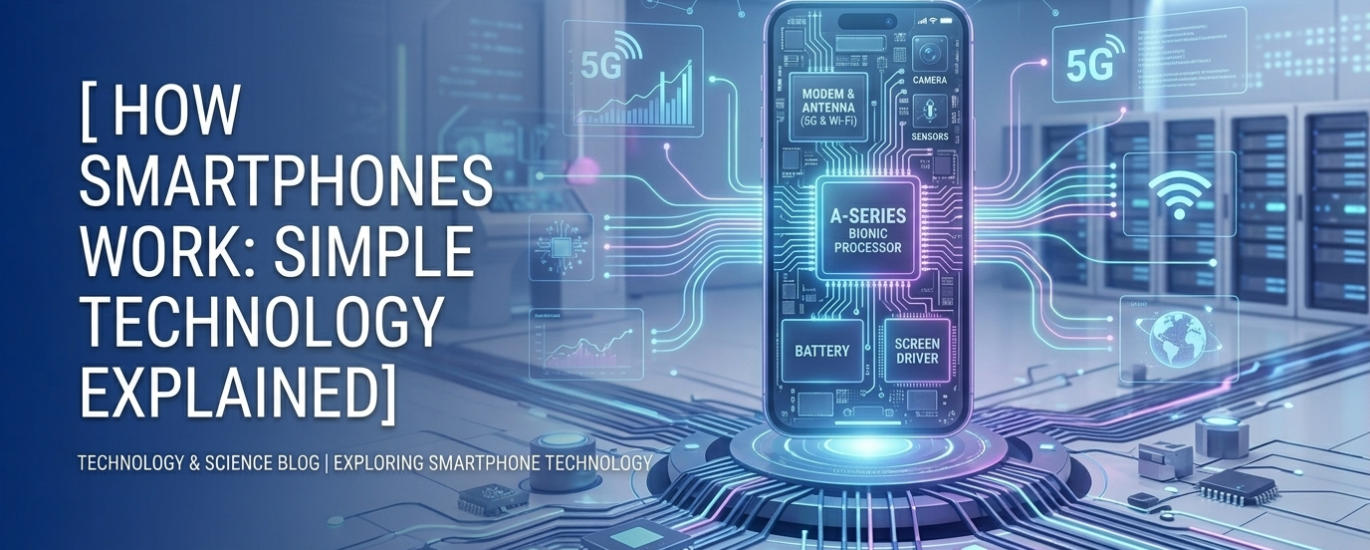
How Smartphones Work: Simple Technology Explained
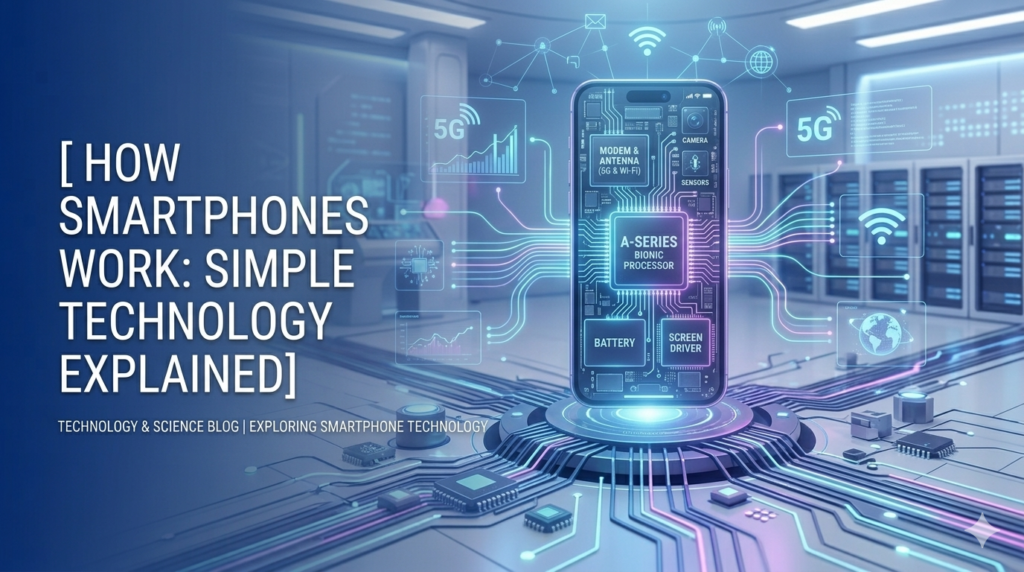
INTRODUCTION
How Smartphones Work: Simple Technology Explained
You pick it up dozens of times a day. You use it to talk, take photos, watch videos, pay bills, and navigate unfamiliar streets. Your smartphone fits in your pocket, yet it is more powerful than the computers that sent astronauts to the moon in 1969.
But have you ever stopped and wondered — what is actually happening inside that slim glass rectangle?
This article breaks it all down in plain, everyday language. No engineering degree required. By the time you finish reading, you will understand exactly how your smartphone works and why each part matters.
THINK OF YOUR SMARTPHONE AS A TINY COMPUTER
How Smartphones Work: Simple Technology Explained
The easiest way to understand a smartphone is to think of it as a very small, very capable computer — one that also happens to make phone calls.
Just like a desktop computer, your smartphone has a processor, memory, storage, and software. But it also has things a regular computer does not — a touchscreen, cameras, microphones, GPS, and a battery powerful enough to run all of it wirelessly.
Every time you tap an app, swipe a screen, or ask your voice assistant a question, dozens of tiny components work together in milliseconds to make it happen. Let us look at each of them.
1. THE PROCESSOR — THE BRAIN OF YOUR PHONE
The processor, also called a CPU (Central Processing Unit), is the brain of your smartphone. It handles every calculation, every instruction, and every action your phone takes.
When you open an app, the processor reads the app’s instructions and executes them. When you play a game, the processor calculates the movement of every character and object on screen. All of this happens billions of times per second.
Modern smartphone processors — like Apple’s A17 chip or Qualcomm’s Snapdragon series — are incredibly fast. The speed of a processor is measured in gigahertz (GHz). A higher number means the processor can handle more tasks more quickly.
Most flagship phones today use a system called a System on a Chip (SoC). This means the processor, graphics unit, and other components are all packed onto a single tiny chip — making phones faster, smaller, and more energy-efficient.
Real-world example: When you tap on Google Maps, the processor instantly loads the map, calculates your location, plots a route, and renders the graphics on screen — all within a second or two.
2. RAM — THE SHORT-TERM MEMORY
RAM stands for Random Access Memory. Think of RAM as your phone’s short-term memory — the mental workspace it uses to juggle multiple tasks at once.
When you switch between apps, RAM keeps those apps loaded so they open instantly. Without enough RAM, your phone would have to reload apps from scratch every time you switched — making everything slow and frustrating.
Most mid-range smartphones today come with 6 to 8 GB of RAM. Premium phones may have 12 GB or more. The more RAM your phone has, the more apps it can keep open simultaneously without slowing down.
Real-world example: You are on a WhatsApp call, have Google Chrome open in the background, and switch to Spotify. All three can run at the same time because RAM is holding them ready.
3. STORAGE — THE LONG-TERM MEMORY
While RAM is short-term, storage is your phone’s long-term memory. This is where your photos, videos, apps, music, and files are permanently saved — even when the phone is turned off.
Smartphone storage is measured in gigabytes (GB) or terabytes (TB). Entry-level phones may have 64 GB of storage, while high-end models can offer 512 GB or more.
Modern phones use a type of storage called flash memory (similar to a USB drive but much faster). Unlike older hard drives, flash memory has no moving parts, which makes it faster, more durable, and more energy-efficient.
Real-world example: Every photo you take, every app you download, every song you save — all of it lives in your phone’s storage until you delete it.
4. THE BATTERY — THE POWER SOURCE
A smartphone is only as useful as its battery. Without power, all that amazing technology becomes an expensive paperweight.
Smartphones use lithium-ion (Li-ion) or lithium-polymer (Li-Po) batteries. These are rechargeable and designed to be light, compact, and capable of storing a lot of energy relative to their size.
Battery capacity is measured in milliampere-hours (mAh). A higher mAh rating generally means longer battery life. Most modern smartphones carry batteries between 4,000 and 5,000 mAh.
Technologies like fast charging (from brands like OnePlus, Samsung, and Apple) allow you to charge your battery from 0% to 50% in under 30 minutes. Wireless charging works by transferring energy through electromagnetic fields between a charging pad and a coil inside your phone.
Real-world example: A phone with a 5,000 mAh battery can typically last a full day of mixed use — calls, browsing, social media, and video — before needing a charge.
5. THE OPERATING SYSTEM — THE MANAGER IN CHARGE
The operating system (OS) is the software that runs everything. It sits between the hardware (the physical parts) and the apps you use, managing resources and making sure everything works together smoothly.
The two dominant smartphone operating systems are:
- Android (made by Google) — used by Samsung, OnePlus, Xiaomi, and many others.
- iOS (made by Apple) — used exclusively on iPhones.
The OS handles critical tasks: it manages how much RAM each app uses, controls screen brightness, handles security, manages Wi-Fi and Bluetooth connections, and much more.
Every time you download an app from the Play Store or App Store, that app is designed to work within the rules set by the operating system.
Real-world example: When your phone automatically dims the screen to save battery, or asks for your fingerprint before opening a banking app — that is the operating system doing its job.
6. SENSORS — HOW YOUR PHONE FEELS THE WORLD
This is where smartphones get truly remarkable. Your phone is packed with sensors that allow it to detect and respond to the physical world around it.
Accelerometer: Detects movement and orientation. This is why your screen rotates when you tilt your phone sideways.
Gyroscope: Measures rotation. Essential for smooth gameplay in racing games or stabilizing video while you walk.
GPS (Global Positioning System): Receives signals from satellites orbiting Earth to pinpoint your exact location. This is what powers navigation apps like Google Maps and Waze.
Proximity Sensor: Detects when your phone is close to your face. When you make a call and hold the phone to your ear, this sensor turns off the touchscreen so your cheek does not accidentally end the call.
Ambient Light Sensor: Measures the brightness of your surroundings and automatically adjusts screen brightness — bright in sunlight, dim in a dark room.
Fingerprint and Face ID Sensors: These biometric sensors scan your unique fingerprint or facial features to verify your identity and unlock your phone securely.
Real-world example: When you play a mobile driving game and tilt your phone left or right to steer — the accelerometer and gyroscope are working together to detect that tilt and translate it into in-game movement.
7. THE DISPLAY — YOUR WINDOW TO EVERYTHING
The screen is what you interact with most. Modern smartphone displays use OLED or AMOLED technology, which produces vivid colors, deep blacks, and uses less power than older LCD screens.
Screens are measured in inches (diagonally) and resolution (how many pixels fit on the screen). A higher resolution means sharper, more detailed images. Most premium phones today offer Full HD (1080p) or Quad HD (1440p) displays.
Refresh rate is another key factor — measured in Hz. A 60Hz screen updates 60 times per second. A 120Hz screen updates 120 times per second, making scrolling and animations look noticeably smoother.
Your touchscreen works through a layer of transparent electrodes that detect where your finger disrupts a tiny electrical field — registering exactly where and how you touch.
8. CAMERAS — A PHOTOGRAPHY STUDIO IN YOUR POCKET
Smartphone cameras have evolved dramatically. Today’s flagship phones pack multiple lenses — wide, ultrawide, and telephoto — each optimized for different shooting scenarios.
Behind the lens is an image sensor that captures light. The processor then applies computational photography — using AI algorithms to enhance colors, reduce noise, sharpen details, and create effects like portrait blur. This software processing is often what separates a great camera phone from an average one.
Real-world example: When you take a photo in low light and it still looks bright and clear — that is AI-powered Night Mode processing dozens of frames in milliseconds and combining the best parts.
HOW IT ALL WORKS TOGETHER
Here is a simple picture of what happens when you take a selfie:
Step 1 — You tap the camera app. The OS allocates RAM and the processor loads the app.
Step 2 — The front camera sensor starts capturing light. The processor applies real-time image processing.
Step 3 — You tap the shutter button. The accelerometer detects if your hand is steady. The processor captures and processes the image.
Step 4 — The photo is compressed and saved to storage.
Step 5 — The display shows you the final image.
All of this happens in under one second.
CONCLUSION
Your smartphone is one of the most sophisticated pieces of technology ever created — and it fits in the palm of your hand. Every tap, swipe, photo, and call involves a remarkable symphony of hardware and software working in perfect harmony.
The processor thinks. The RAM multitasks. The storage remembers. The battery powers. The operating system manages. The sensors feel. The display shows. And the camera sees.
Understanding how these parts work does not just satisfy curiosity — it helps you make smarter choices when buying a phone, troubleshooting problems, or simply appreciating the incredible engineering behind something you use every single day.
Next time you pick up your phone, you will know exactly what is happening inside it.